
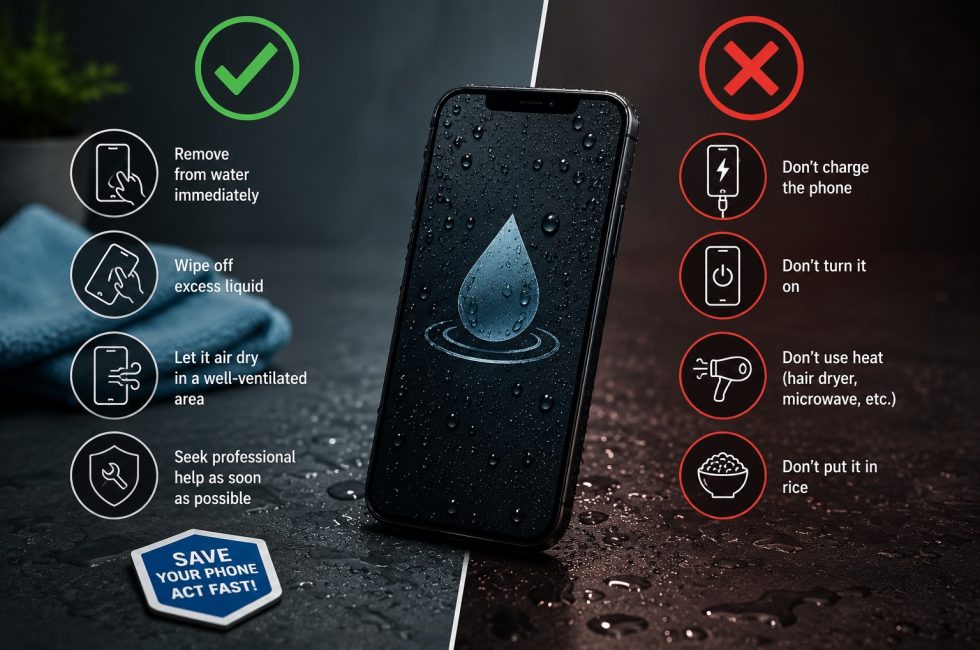
It’s the moment every phone owner dreads: the slip, the splash, the sinking feeling as your device disappears into water. Whether it’s the pool, the bath, or — as happens more often than you’d think in Malta — the Mediterranean, water damage doesn’t have to be terminal. What you do in the first few minutes makes all the difference.
Step 1: Get it out and power it off. Immediately.
Don’t check if it still works. Don’t open an app to back anything up. Power it off. Water causes damage when it creates unintended electrical connections (short circuits) on the logic board. The phone is most vulnerable when powered on because voltage is flowing through those circuits. Every second the phone stays on while wet increases the corrosion damage.
If the phone was already off and you’re tempted to turn it on to see if it survived — don’t. That’s the single most common way people turn a recoverable phone into a dead one.
Step 2: Remove the case, SIM tray, and anything removable
Water hides in crevices. Remove the case, pop out the SIM tray (this also opens a drainage path), and remove any screen protector if it’s peeling. Wipe the exterior dry with a clean cloth. Don’t shake the phone — that can drive water deeper into the device.
Step 3: DO NOT put it in rice
The rice myth refuses to die, so let’s be clear: putting a wet phone in rice does more harm than good. Rice absorbs moisture too slowly to make a meaningful difference inside a sealed phone. Rice dust and starch particles get into the charging port, speaker grille, and SIM slot. And the biggest problem: rice gives you something to do while you wait, when what you should be doing is bringing the phone to a professional before corrosion sets in.
Silica gel packets (the ‘do not eat’ things in shoe boxes) are better than rice but still not a solution. They absorb ambient humidity, not liquid water trapped inside a phone chassis.
Step 4: Salt water vs fresh water — this matters in Malta
A phone dropped in the sea at St. Julian’s or Golden Bay faces a much worse prognosis than one dropped in tap water. Salt water is electrically conductive and highly corrosive. As salt water dries, it leaves behind crystal deposits that continue eating away at copper traces and solder joints for days or weeks after the phone appears dry.
If your phone was submerged in seawater, professional ultrasonic cleaning is not optional — it’s essential. Fresh water (tap water, pool water without high chlorine) is more forgiving, but still requires proper drying and inspection.
Step 5: Don’t use a hairdryer or put it in the sun
Heat doesn’t help — it can warp components, weaken adhesive seals, and in extreme cases cause the battery to swell. The Malta sun might be great for drying laundry, but leaving a wet phone on a windowsill in 35°C heat is a bad idea. Room-temperature air drying is safest, but it’s slow and doesn’t address the corrosion that’s already started.
Step 6: Bring it to a professional — sooner than you think
Professional water damage recovery uses ultrasonic cleaning at 40kHz to dislodge mineral deposits and salt crystals from under BGA chips and inside connectors. This is followed by controlled-temperature drying and corrosion inspection under a microscope. The sooner this happens after water exposure, the higher the success rate.
The bottom line
Power off immediately. Don’t use rice. Don’t use heat. Salt water is worse than fresh water. And get it to a professional within 24-48 hours for the best chance of recovery.